design by insight

genesis recommended developer

  • about
  • services
  • portfolio
    • blog & website portfolio
    • book cover portfolio
    • graphic design portfolio
    • client testimonials
  • blog
  • contact

does your small business need a blog? {two reasons why the answer may be yes}

Written by Teri Lynne Underwood

Your business, especially if you have a small business,
could benefit greatly from a blog for a variety of reasons.

does your small business need a blog?  {two reasons why the answer may be yes} - design by insight

One of my current social media clients is a local children’s boutique. One of the main components of their online strategy is developing a great blog. We began brainstorming blog topics almost immediately and created a list of over 50 potential posts within about an hour. Some posts are product related but many move beyond specific products and into the deeper branding of the business and meeting the information and resource needs of their customers

But a blog, badly done, can be the worst thing you can do for your business. Blogs are a lot of work. A badly written blog with poor images and lack of cohesiveness will negatively impact your business. Brand Driven Digital has identified six ways a blog can be hurting, not helping, a business. These include a weak call to action, lack of focus, lack of alignment with business goals, and poor writing.

Bottom line, a blog can become one of the most valuable tools in your marketing toolbox—IF you do it right!


Now you’re asking, how do I do it right? Over the next several weeks we will look at building a solid business blog through the framework of the basic questions of journalism:  Why?  What?  Who?  When? Where? and How?

Why does my small business need a blog?

If a website is the hub of your online presence, a blog located on your site is the heart. A blog allows you to tell stories about your business. It allows you to provide important information. It shows your customers (and potential customers) that you know what you are talking about. And it provides much of the search engine optimization (SEO) that is needed to get better placement in search engine results.  5 Most Important Online Tools for Small Businesses

There are two main reasons a blog can be an asset to your small business marketing plan:
SEO and storytelling.

SEO {search engine optimization} is what makes your website “findable” online. SEO involves keywords and links and can be very confusing sometimes. But it is important, vitally important, to the success of your website. Blogs help with SEO because, unlike a static web page, a blog undergoes regular updating and provides the means for including those key words and other tools to improve your placement in search engine results. {If you want to understand more about SEO, we recommend reading this excellent and simple SEO explanation from searchenginewatch.com.}

Besides SEO, your blog creates a way for you to tell the stories of your small business. I know, you are thinking, “My business doesn’t have a story.” It does, I promise. At the STRENGTH conference, one of the attendees owned a landscaping and lawn care business. When I mentioned storytelling as a factor in marketing, he laughed. Literally. But as I shared with him ideas for blog posts such as choosing flowers and plants, creating a beautiful container garden, knowing when and how much to water, his eyes lit up. He realized a simple truth, every question one of his customers asks is the opportunity to tell part of his business’s story. The same is true no matter what your business is. You have a story, tell it! {A great example of a small business owner who uses her blog to tell her story is Maggie Whitley of Gussy Sews. By inviting her customers into her life, she has built a loyal community around the Gussy brand.}

Next week, we’ll be exploring WHAT you can and should write about on your business blog.

What do you think?  Should small business websites have blogs?

Check out the rest of the posts in this series:
  • Creating Quality Content
  • Identifying Your Audience
  • The Time Factor
  • A Few Last Thoughts

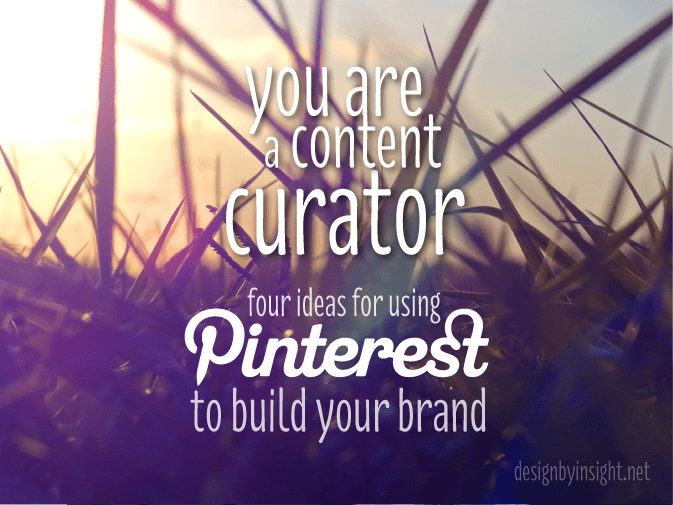
you are a content curator: four ideas for using pinterest to build your brand

Written by Teri Lynne Underwood

Recently I was reminded we are all content curators. We bookmark pages, subscribe to blogs, share photos and articles on Facebook, and tweet information. We’re building our own online scrapbooks. Everyone, not just bloggers.

you are a content creator - four ideas for using pinterest to build your brand

Perhaps the most obvious tool for this content curating is Pinterest. Oh how we love Pinterest! {My husband mocks me because I have so many boards.} According to Expanded Ramblings, 48.7 million people have Pinterest accounts. While this feels small in comparison to the 1.11 billion on Facebook, 100 million Instagrammers, and 500 million Twitter users, bloggers and businesses alike have found Pinterest is a top referral source. In other words, you need a Pinterest plan. 

Your Pinterest boards are a valuable tool for branding yourself, marketing your products, and curating the information your readers and customers can use.

Here are four ideas for improving your content curation using Pinterest.

Create themed boards.

The ability to create boards based on certain subjects allows followers to understand your brand’s personality and what’s important to your online store. Why Pinterest Is So Important for Online Stores 

Authors like Tricia Goyer use themed boards to reflect the topics of their books. Her Seven Brides for Seven Bachelors board relates to her current Amish fiction series. With pins about quilts, Amish communities, and simple living, this board definitely curates information the readers of her books will find interesting.

Highlight your popular products.

People like popular products. When they know that a product is selling well and everyone else is buying it, they want to get a hold of it before they miss out. This is one of the reasons why there’s the Amazon bestseller list and the option to look at the most popular products on online stores. How to Use Pinterest to Promote Your Products

Popular jewelry designer, The Vintage Pearl, created a Mother’s Day product board. By highlighting products especially suited for moms, the board provided a great resource for individuals searching for a beautiful gift for mom.

Provide useful information for your readers or customers.

Think about boards that would speak to the obvious themes, subjects, areas of interest, and issues that are important to your clients and potential clients. Many of your boards will fit into this category since topics of interest are what you want to focus on to draw visitors to your boards. This can also include ideas that aren’t spot-on with your business but are related in some way. 8 Pinterest Boards Worth Creating for Your Business

Your readers and customers will appreciate having a place to find that useful tip or great resource. As a social media coach, I’ve created a board with relevant information about social media including suggestions for time management, ideas for social media updates, and information about using social media well and ethically.

Make images on your blog or website pinnable.

Make it as easy as possible for people to pin your stuff. Include images on every page and blog post throughout your website and include Pinterest in your social media share buttons (at the bottom of every blog post). Make sure your websote logo (or header image) is pin-able (many aren’t). I can’t tell you how many times I’ve wanted to pin an article but couldn’t because there wasn’t an image to pin! Pinterest: A Visual Marketing Tool for Writers and Bloggers

Our editor, Sandra Peoples, does a fabulous job of creating pinnable images for the posts on her editing site, Next Step Editing. If you check out my writing board, you’ll see many pins from Sandra’s posts because the information is excellent and easy to pin!

One other tip:  Keep up with the changes Pinterest is making. Check out Products Added to Pinterest to learn more about how you can improve your product, recipe, and movie pins. Our friend Kristin Schell shared this cool recipe pin yesterday. How awesome does this look?

Here are a few other excellent posts about Pinterest strategy.

  • The Complete Guide to Getting Started on Pinterest on ProBlogger
  • 6 Ways to Better Promote your Business on Pinterest from Social Media Today
  • Do You Need a Pinterest Consultant?  from ProBlogger

What tip for using Pinterest to curate content would you add to our list?

dos and don’ts on twitter

Written by Teri Lynne Underwood

dos and don'ts on twitterWhether you love it or hate it, Twitter is definitely here to stay.  With over 200 million active users (and up to 500 million total accounts), learning to navigate this face-paced social media tool has become a near-necessity for most businesses, non-profits, and bloggers.  As with all social media, there are those who use it well and those who, well, don’t.  Here are few tips we have found recently to help you use Twitter effectively.

Twitter DOs

  • Make sure your password is strong. Mashable offers a great post to remind us how important it is NOT to share your Twitter username or password with any other sites.
  • Understand how to use Twitter to build your brand.  Focus, consistency, and resonance are the three keys emphasized in this article on Social Media Today.
  • Know how to use Amazon Affiliate links on Twitter.  If you’re an Amazon Affiliate, you need to read this post from Blogging with Amy with simple tips for incorporating affiliate links into both Twitter and Facebook updates.
  • Consider how Vine can be a positive addition to your Twitter strategy.  Social Media Examiner offers 16 ways businesses are using Vine.

Twitter DON’Ts

  • Be a bad crisis tweeter.  Excellent guidelines for tweeting in a crisis from Heather at Social Media Today.
  • Be a twit, twerp, twidiot, or otherwise annoying tweeter.  Love this post with 9 types of tweeters you definitely don’t want to be!

What is your best Twitter tip?

Since we’re on the topic, have you connected with Design by Insight on Twitter?  We share three or four articles on social media, blogging, self-publishing, and writing daily.  Join us there too!

understanding google analytics

Written by Teri Lynne Underwood

google analytics

Google Analytics. I have to admit, I find this all a bit overwhelming. But I realize how important SEO {search engine optimization} is and, to that end, Google Analytics is an important component of my growth plan.

Here are a few of the articles I have been reading to help me understand the functions of Google Analytics and how they can help me.

Start here with this easy-to-understand post about the data available through Analytics from Web Developer Juice.  I love that they begin by explaining what Google Analytics is—”a free application that tracks traffic patterns on your website, giving you fresh insight into how visitors use it. This invaluable information on the behavior of your visitors can help you to understand their experience, letting you know what’s working, and more importantly, what’s not.”  That certainly helps me see the value in learning more!

Next, how about a very simple explanation of the basic information bloggers can gain from Google Analytics from BloggerSentral.  I appreciate the simple definitions of vistors, bounce rate, visit value, and traffic.  This article will definitely help you begin to grasp what all those numbers and graphs on your GA homepage mean and why the data is useful.

LOVE this interactive guide to understanding Google Analytics from Designer Blogs.  Seriously, this answered most of my questions and helped me understand the process. Definitely bookmark this guide.

If you prefer to watch and learn, check out this video from Lady Luck Media:  Beginner’s Guide to Google Analytics.  It’s about 18 minutes and is packed with simple information.

How do you use Google Analytics?

better blogging: some simple suggestions

Written by Teri Lynne Underwood

better blogging: some simple suggestions

We bloggers are a funny breed. We love to tweak, modify, and update. We are always on the prowl for ways to improve functionality and connection with our readers. We explore new plug-ins and try the latest social media options.  We participate in webinars and attend conferences. We are learners. And often, we are the adventurers that push businesses and brands to take the next steps in their online strategies as well.

The bottom line: We want to be better at our craft and we’re willing to work hard to get there.

Websites like ProBlogger and CopyBlogger are on our daily “must read” lists and they’ve earned the right to be there. Here are a few of the best articles we’ve read on those sites lately.

From ProBlogger:

  • Blog Design for ROI:  Keep on Fixing!  What if you continually tweak your design? Is that better or worse than a big overhaul?  Interesting ideas in this great post.
  • Should you change your guest post strategy?  Great information and explanation of how Google’s changes can affect you.
  • Is one of your blogging goals for 2013 to monetize?  Here are 4  new ways to monetize.

From CopyBlogger:

  • The Essentials of Website Design that Works offers simple guidelines for a great design strategy.
  • Looking to grow your influence? Love this list of 60 Ways to Increase your Influence Online.
  • We love list posts and this one does lists even better by making the list into an infographic. Check out 15 WordPress User Errors that Make You Look Silly.

What is the best suggestion you have found lately for better blogging?

facebook changes…again!

Written by Teri Lynne Underwood

facebook changes again - design by insight


They say two things in life are certain: death and taxes.  Let’s add a third, shall we? Facebook changes. Doesn’t it seem like every time we finally master the last changes Zuckerburg & Co. offered up, they make some more?  And, as much as we’d love to get rid of it sometimes, Facebook is here to stay.  So, we keep adapting, keep learning, and keep threatening to leave. :)

One of the latest updates to Facebook is Facebook Graph Search.  Graph Search allows searching users, pages, photos, and  potentially even comments and posts.  Social Media Examiner has an excellent post on using Graph Search, How to Optimize Your Facebook Page for Facebook Graph Search.

Leveraging Facebook for the most social media impact is a skill.   Triple Your Facebook Likes in 2 Weeks from ProBlogger offers practical and doable suggestions for increasing the reach of your Facebook page.  On the flip side, Social Media Today offers 7 Facebook Marketing No No’s that are well worth reading (and heeding!).

Do you struggle to understand the privacy settings and options available on Facebook?  Check out this graphic from the Wall Street Journal.

And another excellent infographic is this one from Social Media Today:  Are You a Victim of Facebook Fatigue?  

What do you love to hate about Facebook?

  • « Previous Page
  • 1
  • …
  • 11
  • 12
  • 13
  • 14
  • 15
  • …
  • 21
  • Next Page »
  • 
  • 
  • 
  • 
  • hosting
  • work with us
  • archives

© copyright 2010-2015 design by insight • powered by the genesis framework {affiliate link}